Natural-language product discovery
Shoppers can describe what they need by product type, color, size, use case, or budget.
Turn product questions into guided shopping conversations with catalog-based recommendations, store answers, confirmed cart actions, and human support when it matters.
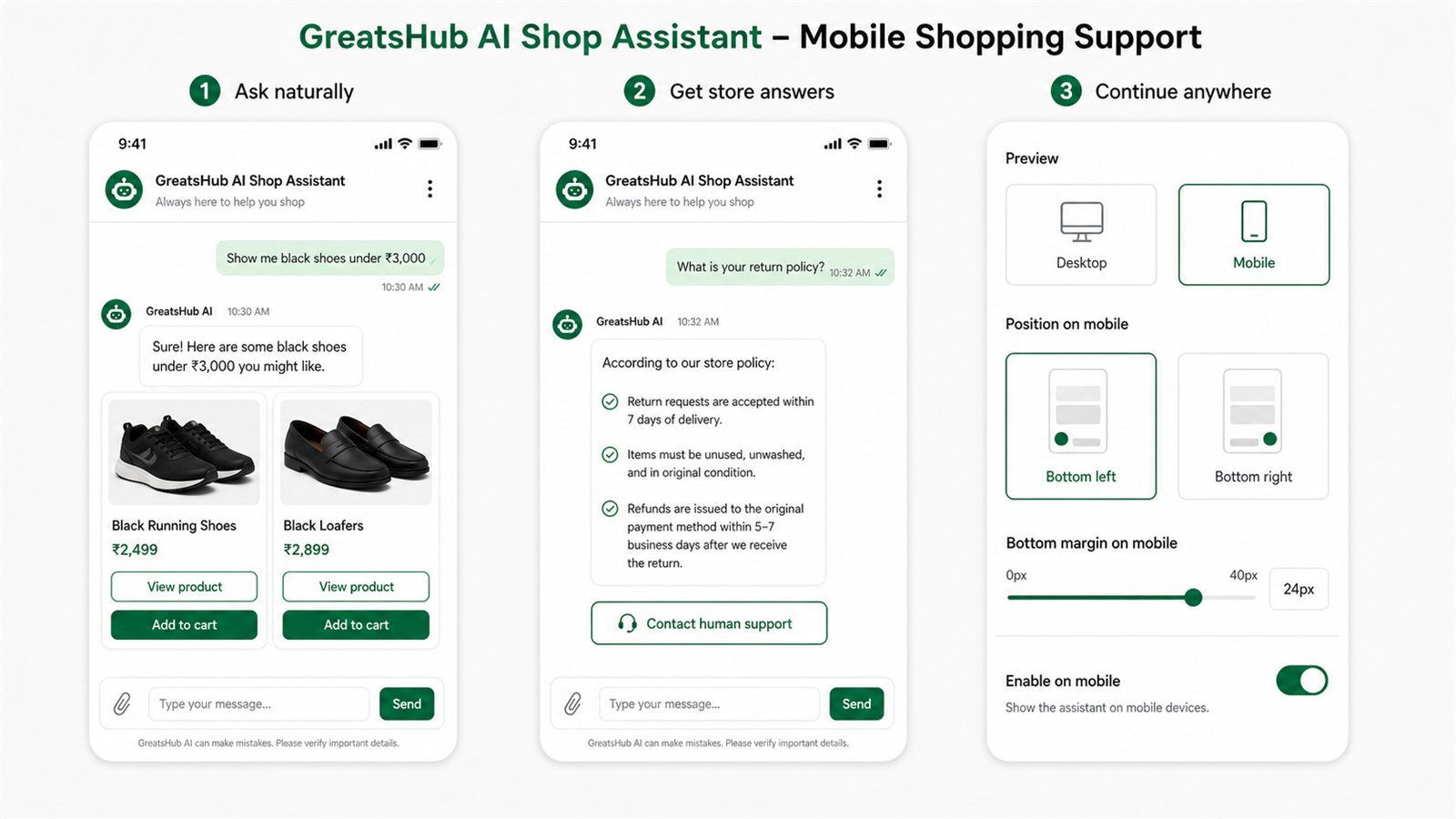
Give customers useful guidance while keeping catalog information, cart control, branding, and support in your hands.
Shoppers can describe what they need by product type, color, size, use case, or budget.
Present product cards using current store information, including images, prices, options, and storefront links.
Prepare supported cart changes and require shopper confirmation before completing the action.
Help customers find shipping, returns, policy, and store information without leaving the conversation.
Control the greeting, hover message, colors, launcher icon, position, mobile spacing, and product buttons by plan.
Offer a support page or WhatsApp link with a merchant-defined message when customers need personal help.
Keep the experience responsive across screen sizes. Merchants can preview placement, control mobile availability, and adjust spacing before launch.
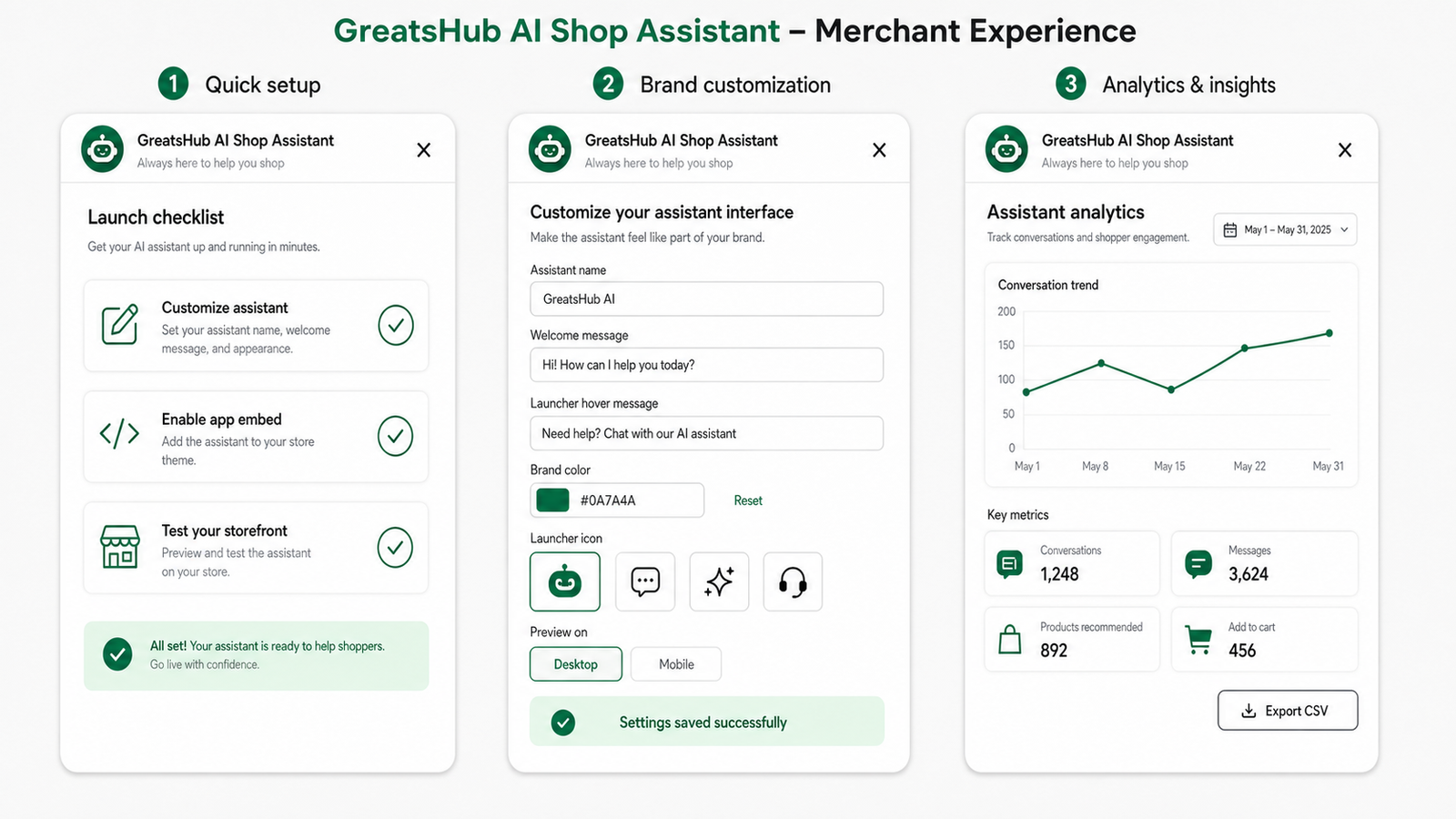
The embedded checklist keeps setup clear and directs merchants to the right Shopify surfaces.
Install from the Shopify App Store, open Assistant settings, choose the assistant identity and support options, then save.
Open the theme editor, enable GreatsHub: AI Shop Assistant under App embeds, and save the theme.
Ask for a product recommendation, try an available cart action, and confirm the human-support fallback.
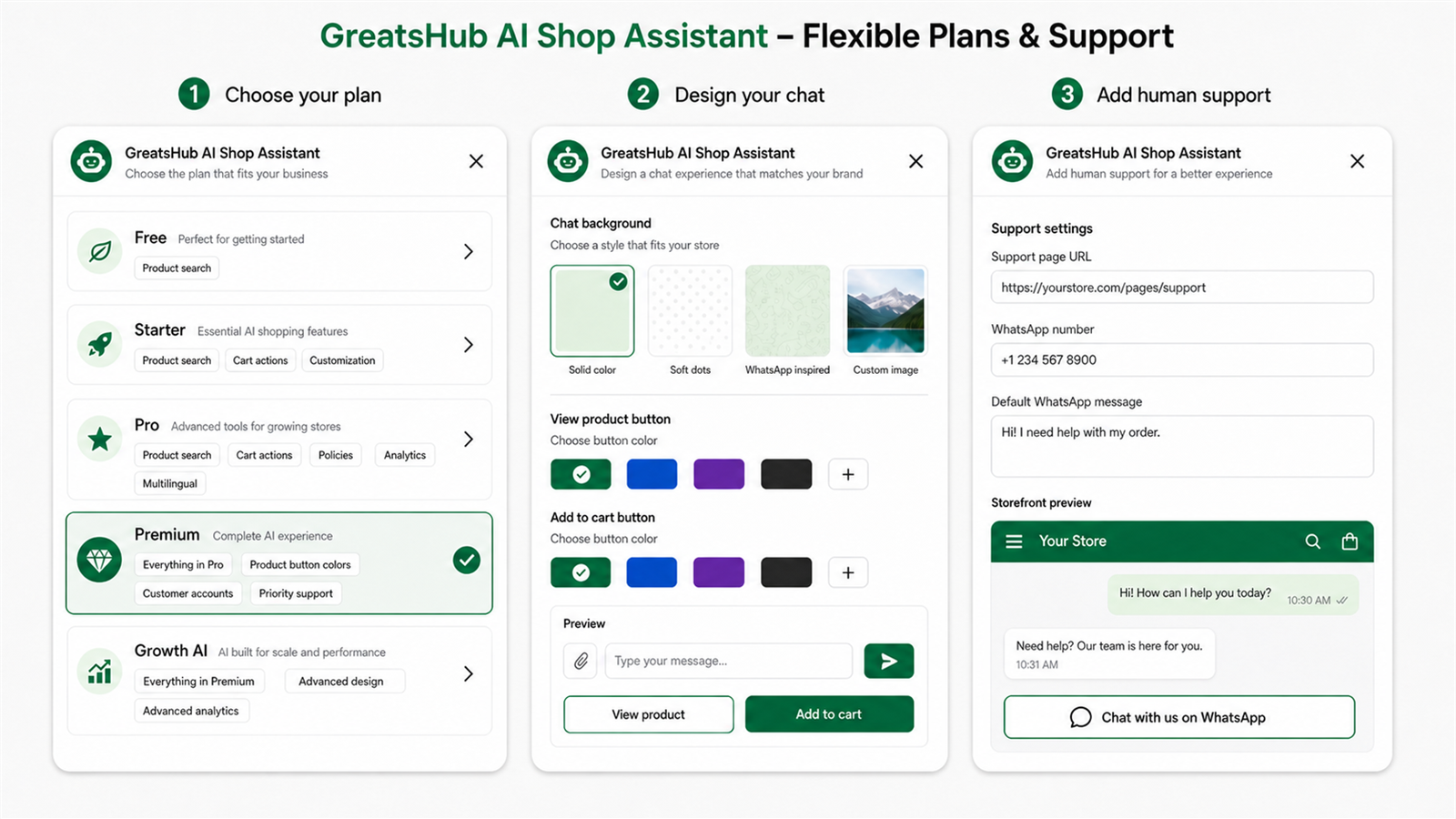
Use the embedded dashboard to configure your assistant and review how customers interact with it.
Analytics availability and customization controls depend on the selected plan.
Follow the guided video to configure the assistant, enable the Shopify theme app embed, and test it on your storefront.
Read the complete FAQChoose or change your plan through Shopify. Exact pricing and current plan details are shown on the app listing and inside the app.
Start with catalog product search and the core storefront experience.
Add cart actions and basic storefront customization.
Unlock policies, analytics, multilingual options, and more merchant controls.
Add voice input, message avatars, verified order tools, product-button styling, and priority support.
Add custom backgrounds, widget colors and radius, launcher animations, custom icons, and visual analytics.
Need something else? Contact our support team and include your myshopify.com domain.
View all FAQsNo. The storefront widget is delivered through a Shopify theme app extension and is enabled from the theme editor’s App embeds section.
Supported plans can prepare cart actions. The app requires customer confirmation before completing a cart change.
Yes. Available controls include launcher colors, icon, position, messages, mobile spacing, and plan-based background and product-button options.
Yes. Add a support URL or WhatsApp number and configure the message that is pre-filled for the customer.
Yes. The widget has responsive mobile behavior, separate mobile availability, and adjustable mobile bottom spacing.
The embedded Analytics page provides date filtering, conversation and message activity, product and cart metrics, charts, and CSV export according to plan.